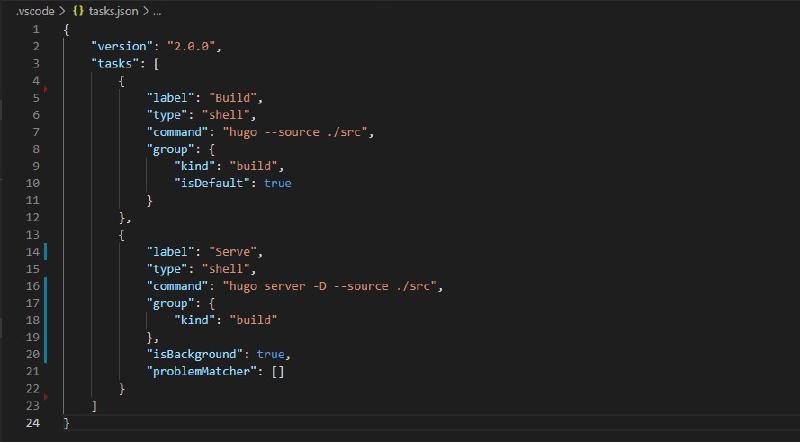
Once I had the site running locally, I wanted a quicker way to run the hugo build command from Visual Studio Code. After a bit of searching, I found the article Tasks in Visual Studio Code helpful. In short, I defined the build task like this:
| |
This task executes the hugo command which generates your website to the public/ directory by default and makes it ready to be deployed to your web server. The --source argument ensures the correct folder is built. In addition, setting "kind": "build" and "isDefault": true ensures that this task is executed with the Ctrl+Shift+B keyboard shortcut.
Next, I added another task to run the site locally:
| |
This task executes the hugo server command. The -D flag ensures that we can preview content in draft mode, and again, the --source argument ensures the correct folder is served. The Serve task does not have "isDefault": true because we do not want the two tasks to conflict when using the Ctrl+Shift+B keyboard shortcut.
So far I’m pretty pleased with my experience with the Hugo static site generator.